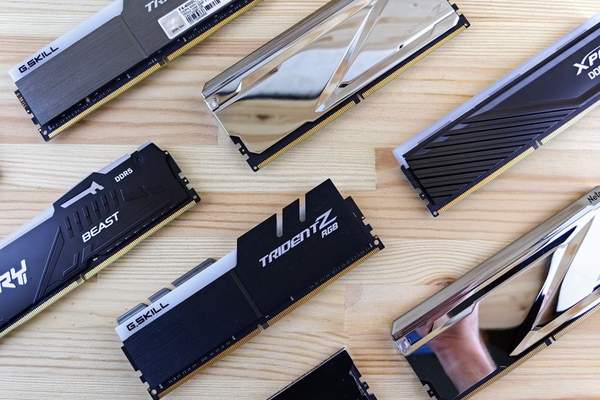
For most gaming PCs today, 16GB of RAM is the sensible baseline. It is enough for a large share of current games while leaving room for Windows, voice chat, launchers and a few browser tabs. If you regularly stream, use heavy mods, keep many apps open or want more headroom for demanding releases, 32GB is the more comfortable choice. Going beyond 32GB rarely improves gaming performance by itself.
How much RAM do you need for gaming?
Gaming RAM requirements vary by title and by what else your PC is doing. A useful rule of thumb is that 8GB is now an entry-level amount, 16GB is the mainstream gaming target, and 32GB is the practical upgrade for heavier multitasking or more demanding setups.
8GB: workable, but restrictive
An 8GB PC can still run many esports games, older titles and less demanding releases. Some popular games even list 8GB as a minimum requirement. The problem is that minimum does not mean ideal. Windows and background software use part of that memory before a game starts, so an 8GB system can run short of free RAM quickly.
When that happens, Windows relies more heavily on the page file on your SSD. That is much slower than system memory and can contribute to stutter or sluggish alt-tabbing. If you already own an 8GB machine, closing browsers and unnecessary background apps can help, but it is not the capacity most people should choose for a new gaming build.
16GB: the best starting point for most gamers
For a straightforward gaming PC, 16GB remains the strongest value choice. It gives modern games enough room in most cases without spending money that could make a bigger difference elsewhere, such as on the graphics card, processor or SSD.
Fortnite, for example, lists 8GB as its PC minimum but recommends 16GB or more. That illustrates the difference between simply meeting a minimum specification and having a more comfortable amount of pc gaming memory. With 16GB, most users can run a game alongside Discord, a launcher, monitoring software and a modest number of browser tabs.
If you are building on a tight budget, a 2 x 8GB kit is generally preferable to a single 16GB module because it allows dual-channel operation on mainstream desktop platforms. A related guide on balanced gaming PC components would be a natural next read.
32GB: useful for demanding games and multitasking
The 16GB vs 32GB gaming decision is less about average frame rates and more about headroom. Moving to 32GB does not magically make every game faster, but it gives the system more space before memory pressure becomes a problem.
Thirty-two gigabytes makes sense if you play memory-heavy simulation or strategy games, use large texture packs and mods, stream while gaming, edit video on the same PC, or habitually keep many browser tabs and applications open. It is also a reasonable choice for a higher-end PC you plan to keep for several years.
Consider a player running a game while Discord, OBS, RGB software, a browser and a launcher remain open. On a 16GB machine, that combination can push memory use close to the limit in demanding titles. With 32GB, there is more room for those background tasks without forcing the operating system to swap as much data to storage.
64GB and above: usually not for gaming alone
For gaming by itself, 64GB is generally unnecessary. It can make sense when the same computer also handles professional video editing, 3D work, large development projects or other memory-intensive workloads. If gaming is the primary use, the money is normally better spent on a faster GPU, CPU, larger SSD or better display.
Does RAM speed matter for gaming?
RAM speed can affect gaming performance, but capacity shortages usually matter more. A PC with enough reasonably fast memory will normally deliver a better overall experience than one with too little ultra-fast RAM.
The effect of RAM speed in gaming depends on the processor, motherboard, memory generation and game. CPU-limited titles can sometimes respond more noticeably to faster memory or lower latency, while GPU-limited games may show little change. Integrated graphics can be more sensitive because they use system memory.
Choose a stable memory kit that suits the platform and enable the appropriate memory profile in the BIOS if supported. Sacrificing capacity or stability for extreme memory speed is rarely a sensible trade-off.
Capacity is only part of the memory setup
Two PCs with the same 16GB total can behave differently. A properly configured dual-channel kit can offer more memory bandwidth than a comparable single-module setup. Check motherboard support, recommended memory slots and CPU compatibility before buying.
If you are upgrading an existing machine, do not assume any new module will pair perfectly with the old one. Mixed kits can work, but they may run at the speed and timings of the slower module. Matching modules are the safer choice. Related topics worth reading include PC gaming memory upgrades and SSD vs HDD for gaming.
How to decide between 16GB and 32GB
Start with the games you actually play and the applications you keep open. Check official system requirements for your most demanding titles, then monitor memory use during a normal session. Windows Task Manager can show how much memory is in use while the game and your usual background apps are running.
If a 16GB system regularly sits close to full memory usage, moving to 32GB can improve responsiveness and reduce pressure on the page file. If usage remains comfortably below the limit, extra capacity may provide little immediate benefit. This is a better buying method than choosing the largest number simply because it sounds more future-proof.
FAQ
Is 16GB of RAM enough for gaming?
Yes. For most gaming PCs, 16GB is still a practical baseline and is enough for many current titles plus normal background applications. Very demanding games, heavy mods and extensive multitasking can make 32GB more useful.
Will 32GB RAM increase FPS?
Not necessarily. If a game already runs comfortably within 16GB, adding more capacity may have little effect on average FPS. The benefit is greater when the system is running out of memory or handling heavy background apps.
Is 8GB RAM enough for PC gaming?
It can be enough for older games, esports titles and systems that meet minimum requirements, but it is restrictive for a new gaming PC. Background software can leave too little free memory for demanding modern games.
Should I prioritise RAM speed or RAM capacity?
Make sure you have enough capacity first. After that, choose memory speed and latency that suit your CPU and motherboard. A balanced, stable kit is usually more valuable than chasing extreme memory speeds.
Final recommendation
For most gamers, 16GB is the value sweet spot, while 32GB is the better choice for demanding games, heavy multitasking, streaming, modding or a higher-end system with extra budget. Eight gigabytes is best treated as a minimum for lighter use, and 64GB is usually unnecessary unless the PC also handles professional workloads. Match the capacity to how you really use the machine, configure the memory correctly, and spend the rest of the budget where it will make the biggest difference to gaming performance.