A speed test can tell you why a video call keeps freezing, but only if you know what you are measuring. Run one test on a phone in an upstairs bedroom and a disappointing result might reflect thick walls rather than your broadband provider. The best way to test broadband speed properly is to establish a wired baseline, then compare it with Wi-Fi around your home.
That gives UK households something more useful than a single headline number: evidence of whether a slowdown starts at the internet connection, router or wireless link.
What a broadband speed test actually measures
An online internet speed test sends data between your device and a remote server. It usually reports download speed, upload speed and latency. Download speed affects streaming and file transfers; upload speed matters for video calls and backups. Latency, measured in milliseconds, describes delay and matters even when download speeds look healthy.
Results use megabits per second (Mbps), not the megabytes per second (MB/s) shown by some download applications. Eight bits make one byte, so the figures are not interchangeable.
A speed test includes more than the connection entering your house. Your device, network adapter, router, household traffic and test server can affect the reading. An Ethernet speed test removes many wireless variables but not every bottleneck.
Prepare your home for a fair test
Find your expected download speed and minimum guaranteed speed in your provider’s documents or account. These are not necessarily the same. A 150 Mbps package does not promise that every device will display exactly 150 Mbps on every test.
Use an up-to-date computer and browser. Pause downloads, backups, game updates and streaming elsewhere in the house. Disconnect from VPNs or proxies. Turn off Wi-Fi on the testing computer when using Ethernet, so you know which route the test uses.
Choose a reputable browser-based tester, such as the UK-focused thinkbroadband service, and use the same tool for comparisons. Try a second service if results look unusual; servers and testing methods vary.
How to test broadband speed step by step
1. Take a direct Ethernet reading
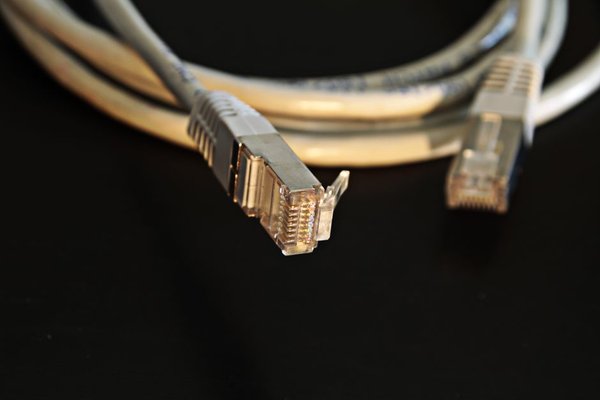
Connect your computer to a LAN port on the main router using an Ethernet cable. Avoid powerline adapters, extenders and mesh satellites for this baseline. Check your computer’s Ethernet link speed: a 100 Mbps port or connection cannot measure a faster package accurately. On very fast services, the device and test server may also be limiting factors.
2. Run three tests, not one
Open the tester, choose its default or a nearby UK server, and run it. Repeat twice after short pauses. Record download, upload and latency. The middle download result is a useful reference because an unusually high or low measurement matters less.
3. Repeat at different times
Test during a quieter daytime period and again around 8–10pm, when residential networks may be busy. Repeat over several days if you suspect an intermittent fault. Ofcom recommends checks at different times rather than trusting one snapshot.
4. Test Wi-Fi close to the router
Switch the computer to Wi-Fi, or use your usual phone with mobile data disabled. Stand near the router and use the same tester. If the result is much lower than your wired baseline, investigate Wi-Fi before blaming the incoming broadband service.
5. Test where the problem occurs
Repeat the Wi-Fi speed test in the room where connections struggle. Note the location and, if visible, whether the device is on 2.4 GHz or 5 GHz Wi-Fi. The 5 GHz band often provides higher speeds nearby; 2.4 GHz may reach further but can be slower or more congested.
Read the pattern, not the biggest number
Imagine a household with expected speeds around 150 Mbps. A laptop records 142, 145 and 139 Mbps over Ethernet, but a phone manages only 28 Mbps upstairs. That gap points towards a Wi-Fi issue, especially if the phone performs better beside the router. Improving router placement or coverage may help more than switching providers.
Consistently low wired results deserve closer investigation. Check the computer’s Ethernet link speed and try another cable or device. If the slowdown persists across days, contact your provider. Remember that a wired test is useful evidence, not a direct laboratory measurement of the line.
Examine upload speed and latency too. A connection can have adequate download speed yet suffer poor calls if upload capacity is saturated or delay rises while the network is busy. If offered, compare latency under load with idle latency.
For weak-signal rooms, our guide to improving Wi-Fi coverage at home can help identify router placement, interference or coverage problems.
Keep a short testing log
Record date, time, test service, device, wired or wireless connection, room, download Mbps, upload Mbps and latency. Note whether someone was streaming or settings had changed. Screenshots help when reporting faults.
Compare like with like. Testing an old tablet on Monday and a powerful desktop on Tuesday introduces another variable. If readings fluctuate, repeat under similar conditions. You can also consult our guide to common causes of slow broadband.
When to contact your broadband provider
If repeated, clean Ethernet tests fall substantially below your contractual expectations, report the problem. Share your dated readings and troubleshooting steps. Your provider can examine equipment and network measurements that web-based testers cannot access.
Ofcom’s voluntary broadband speeds code offers protections for customers of participating providers. If a qualifying network-side problem leaves download speeds below the minimum guarantee and cannot be fixed within 30 days, the provider must offer an exit without early termination charges. Check your provider’s participation and your contract; a poor Wi-Fi result alone does not establish entitlement. Our guide to understanding broadband speed guarantees provides further context.
Frequently asked questions
Should I use Wi-Fi or Ethernet for a broadband speed test?
Use Ethernet for the most dependable baseline, then Wi-Fi to measure everyday device performance. They answer different questions.
Why do two internet speed test websites show different results?
They may use different servers or methods. Background traffic and temporary network changes also matter. Compare repeated tests under similar conditions.
How often should I test my broadband speed?
Several tests across a few days make sense when troubleshooting. Daily testing is unnecessary when the connection works well.
Can my phone accurately test a full fibre package?
It shows real-world phone performance, but its wireless hardware may not reach the package’s full speed. Use a suitable wired computer to investigate the broadband connection.
Conclusion
Reliable testing means comparing Ethernet with Wi-Fi near the router and in problem rooms, then repeating at different times. Keep the results together instead of judging by one low number. That simple method helps identify wireless issues and gives your provider clear evidence when the broadband connection itself needs attention.